
windows:maledettowindows
rdp restituisce l'errore credssp oracle problem
open local group policy editor
change
administratice template
system
Credentials Delegation
Encription Oracle Remediation -> enabled -> vulnerable
Quick Access Blank:
If you type or copy/paste the following into the Address bar of Explorer, you can access the AutomaticDestinations folder:
shell:recent\AutomaticDestinations
There, you can delete the file named:
f01b4d95cf55d32a.automaticDestinations-ms Then close Explorer, sign out, sign back in, and quick Access should revert to its default configuration.
Keith
Disk in ReadOnly mode
- start from command prompt diskpart
diskpart.exe
- list and select volume or disk
  list volume
  select volume #number
  or
  list disk
  select disk #number
- view attributes
  attributes volume
  or
  attributes disk
- check if it is read-only
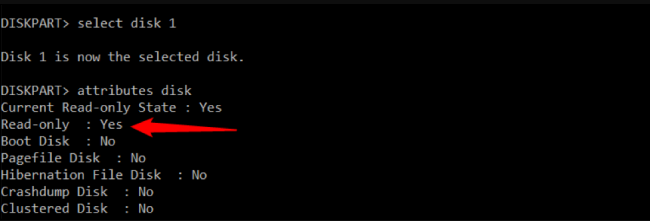
- clear the attribute with the following command (use disk or volume due to the context):
attributes disk clear readonly
windows/maledettowindows.txt · Last modified: 2024/11/10 08:01 by 127.0.0.1